
What is Pay-by-bank?
What is Pay-By-Bank?
Pay by Bank (also known as open banking or account-to-account payments) is a digital checkout method that lets you pay for goods, services, or bills directly from your bank account. It replaces traditional card payments by using secure bank infrastructure to transfer funds instantly without needing a debit or credit card.
How does it work?
Instead of manually typing a 16-digit card number or dealing with sorting codes and account numbers, the process is largely automated:
- Select: You select "Pay by Bank" (or "Pay by Bank Account") at an online checkout.
- Choose: You pick your bank from a list on the screen.
- Approve: You are securely redirected to your mobile banking app or online banking.
- Confirm: You authorise the payment using your usual biometrics (Face ID/fingerprint) or a secure passcode, and you are sent back to the retailer’s website.
Are there any restrictions on using Pay-By-Bank on Artfinder?
Yes, unfortunately, this feature is only accessible to UK and Finland customers, up to 9,981.41 GPB and 11,628.63 Euro.
How do I use the Pay-By-Bank App when purchasing artwork on Artfinder?
Simply follow the steps when purchasing as follows:
- Browse our website, and find the artwork you love!
- Add the artwork to your basket once you're ready to pay
- Press 'Checkout' on the far right-hand side
- Once you've added your shipping and billing address, click 'Proceed to checkout'
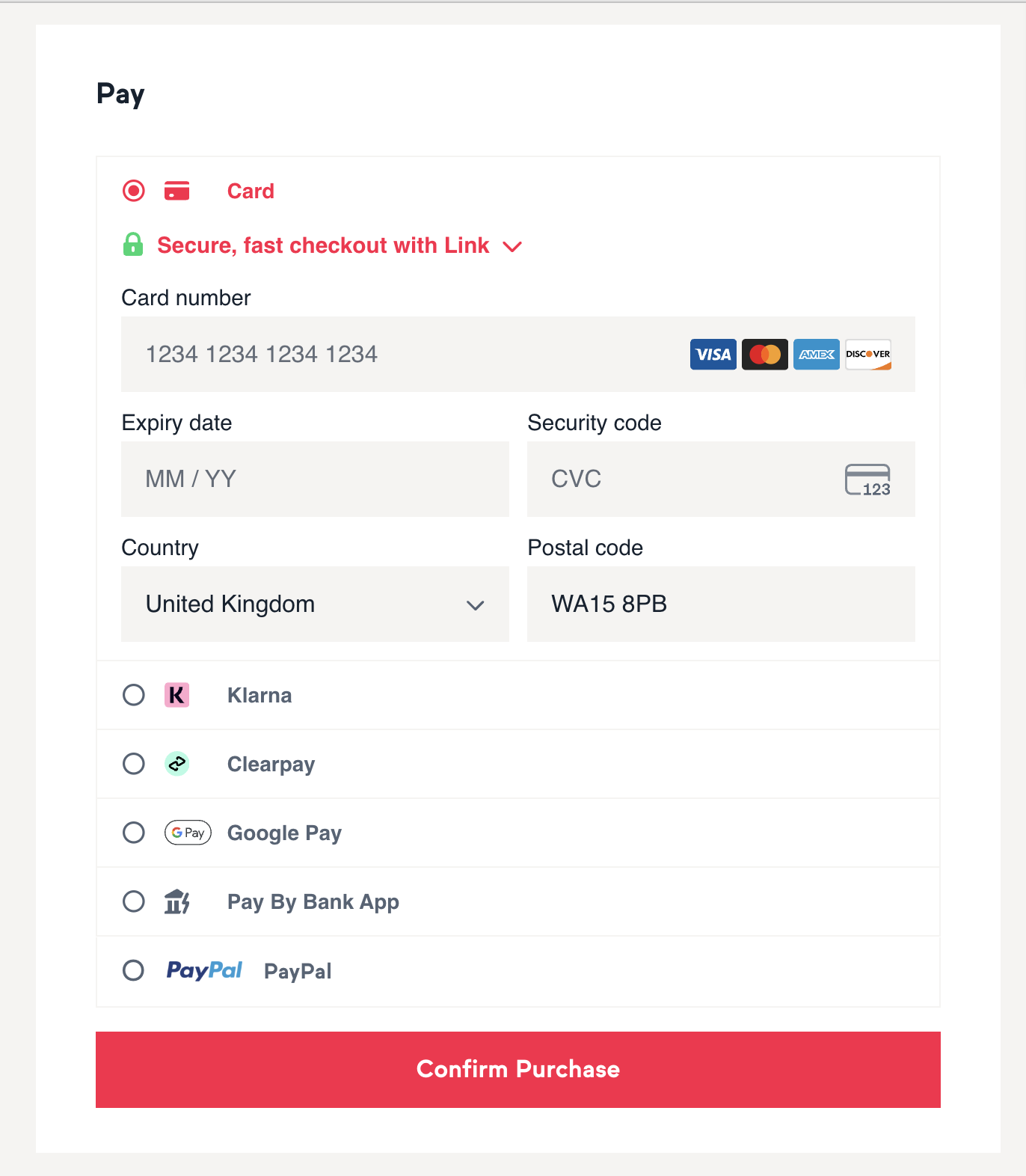
You will then see 'Pay By Bank App' as an option to pay.
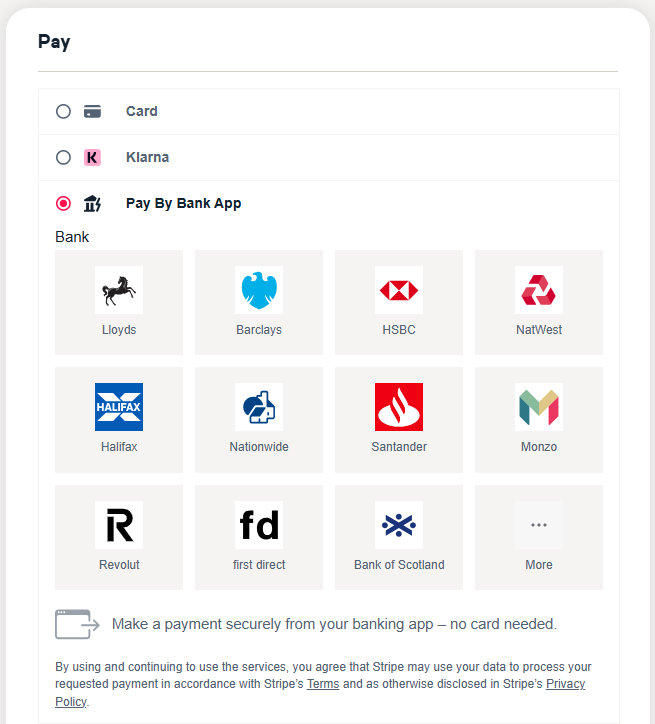
- Once you click the 'Pay By Bank App', you will then be required to click your bank provider.
For example, if you bank with Barclays, you will select Barclays.
- Once you've selected your banking provider, it will show you below which one you have selected, and if you've accidentally selected the wrong provider, you can simply select 'Change' as shown below:
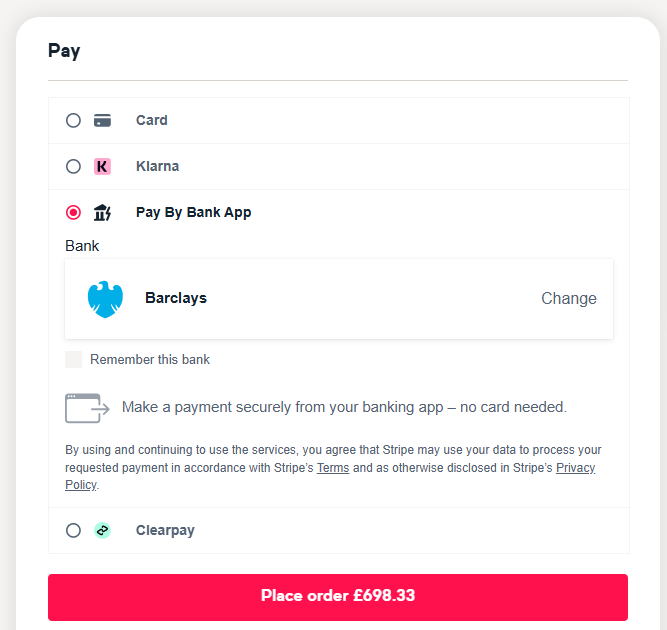
- Next, you can choose to tick the ‘Remember this bank’ box. Once you’ve completed the setup and selected ‘Place Order’, your bank details will be securely saved to your account, allowing you to check out more quickly in the future. This step is entirely optional; you do not need to select ‘Remember this bank’ if you prefer not to.
- Scan the QR code displayed on your screen.
If you do not have access to your banking app via your mobile, please continue to press 'Continue on Web' on the pop-up as seen below, and skip to the next steps, from Step 11
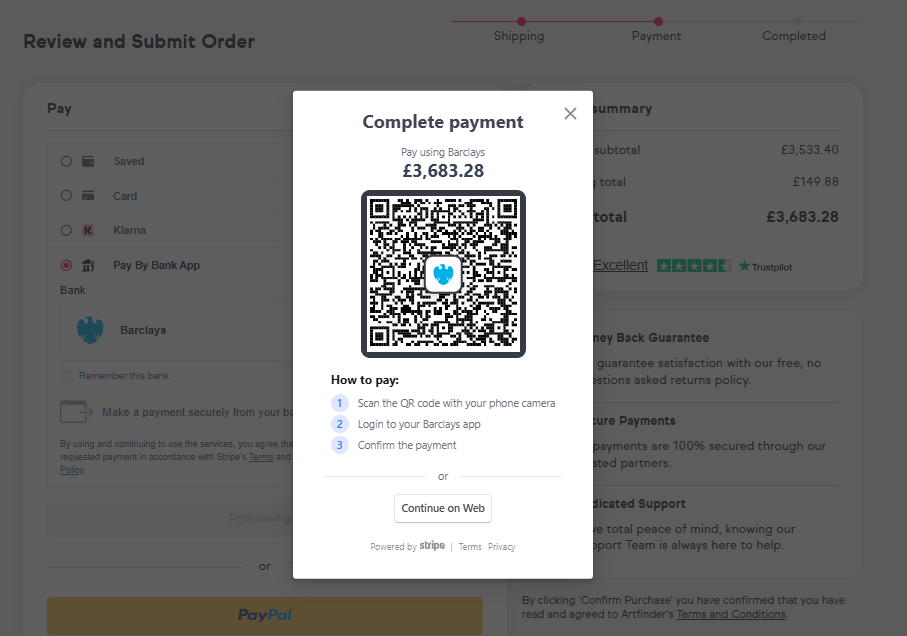
- Follow the steps as advised in the instructions above.
- Scan the QR code with your phone camera
- Log in to your Barclays app (Or the bank provider you have selected and bank with)
- Confirm the payment
- Follow the steps to log in to your securely redirected online banking link and complete the order.
If you have any questions or concerns, please get in touch with customers@artfinder.com